
AI Halloween Costume Generator
Upload one selfie or pet photo, pick a Halloween look, and see yourself in the costume — same face, new outfit, spooky scene. No costume shopping or makeup needed.
The result matches the closest available aspect ratio to your photo.
Halloween costume workbench
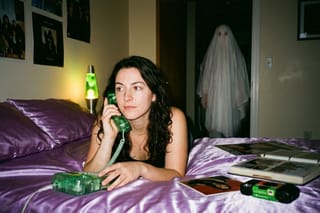
Choose a look
Y2K Ghost Selfie90s bedroom flash photo, a sheet ghost in the doorway
Source
Your photo
Result
Your Halloween look
- InputOne selfie or pet photo
- Looks6 Halloween costumes
- FormatsJPEG, PNG, WebP
- File limitUp to 10 MB
- StoragePrivate to your account
Halloween costume looks
Six original Halloween looks. Each example shows the look applied to a sample portrait; open the prompt recipe to see exactly what the AI is asked to do.
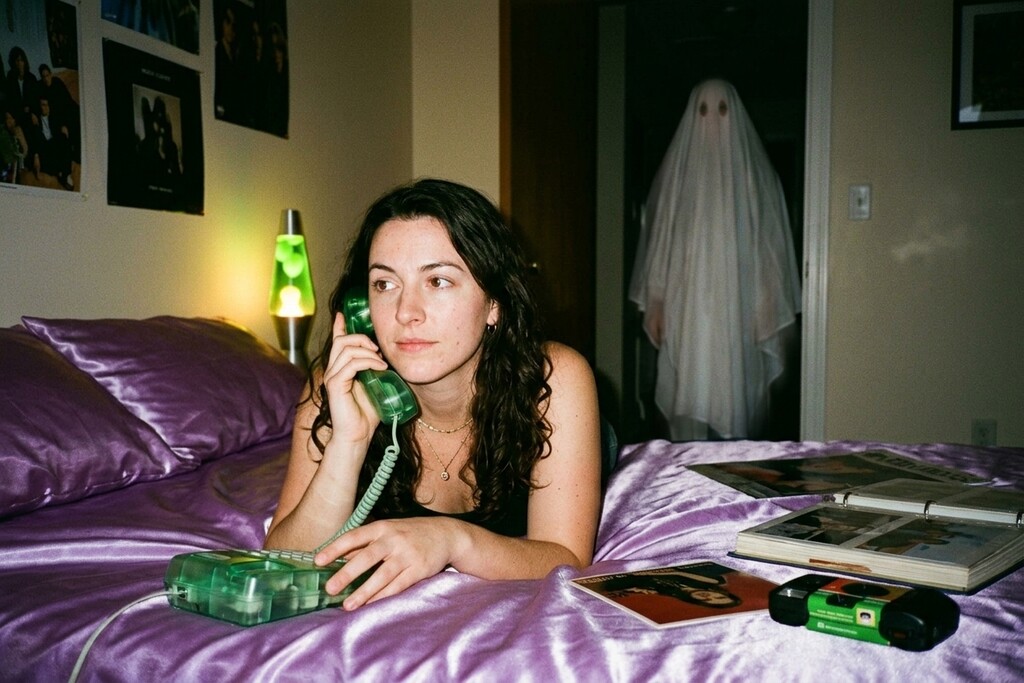
Y2K Ghost Selfie90s bedroom flash photo, a sheet ghost in the doorway Prompt recipe
Use the uploaded photo as the only face reference. Keep the person's identity exactly: same face shape, eyes, nose, lips, jawline, skin tone, age, hair texture and ethnicity. Do not beautify, slim or restyle the face. Create a late-1990s style photo of this person lying on shiny purple satin bedding in a dim bedroom at night, holding a translucent 90s landline phone in a daydreaming pose. Loose curls, delicate jewelry, simple glossy makeup. Behind them: a girly 90s bedroom with unbranded posters, a lava lamp as the only light, a photo album and a disposable camera on the bed. In the open doorway behind them stands a ghost in a plain white bedsheet, slightly transparent, dimly lit, staring at them; the hallway behind it is dark and ominous. Shot on a disposable film camera with direct flash: heavy grain, slight motion blur, warm color cast, soft vignette. It must look like a real photograph a friend took, not a render: natural skin texture with pores, real fabric wrinkles, imperfect framing, true-to-life color. Keep the same number of people as the uploaded photo. No extra limbs, duplicated fingers, warped hands, gore, text, logos or watermarks.
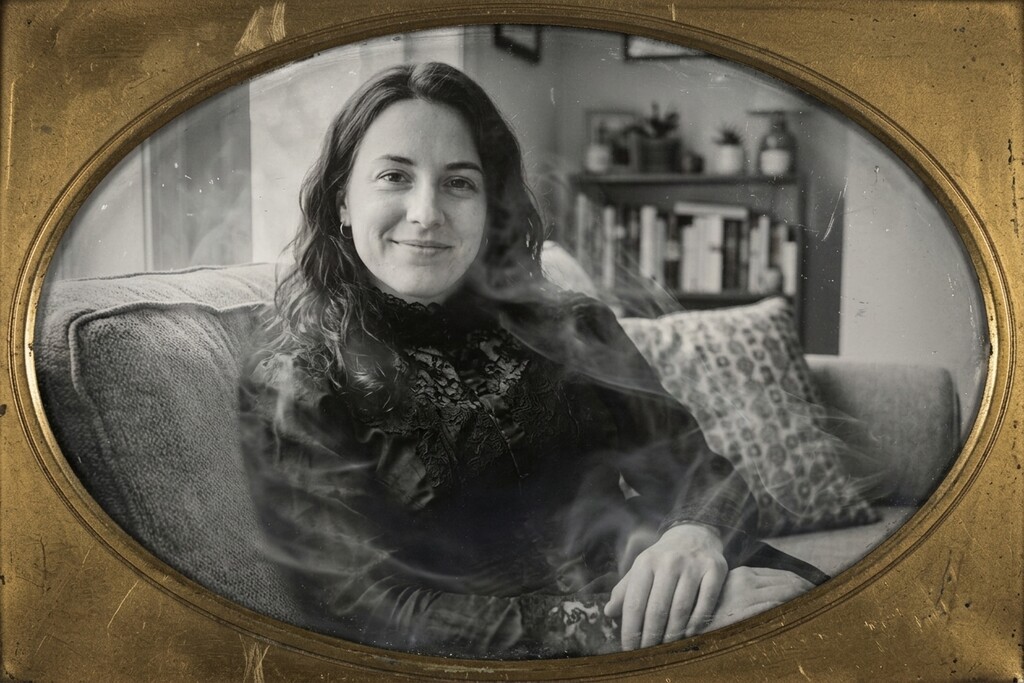
Victorian GhostTranslucent 1880s ghost on an old daguerreotype Prompt recipe
Use the uploaded photo as the only face reference. Keep the person's identity exactly: same face shape, eyes, nose, lips, jawline, skin tone, age, hair texture and ethnicity. Do not beautify, slim or restyle the face. Transform this person into a pale, translucent Victorian ghost in high-collared 1880s mourning clothes of black lace and silk, faint mist drifting off the shoulders. Keep the existing pose and framing. Render it as an authentic black-and-white daguerreotype: wet-plate collodion texture, silvery tones, soft focus falloff, chemical streaks, stains, scratches and a worn oval mat edge. The face stays clearly recognizable through the ghostly translucency. Keep the same number of people as the uploaded photo. No extra limbs, duplicated fingers, warped hands, gore, text, logos or watermarks.
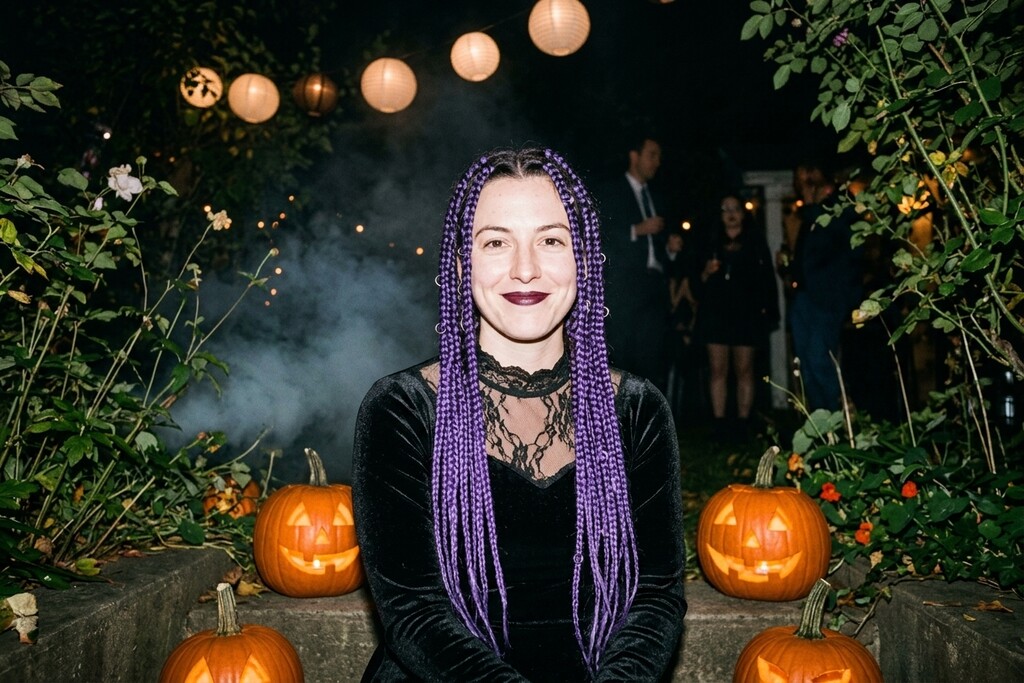
Midnight BraidsViolet braids, black velvet, 35mm flash at a night party Prompt recipe
Use the uploaded photo as the only face reference. Keep the person's identity exactly: same face shape, eyes, nose, lips, jawline, skin tone, age, hair texture and ethnicity. Do not beautify, slim or restyle the face. Restyle this person for a gothic Halloween garden party at night: long violet braids threaded with small silver rings, a black velvet dress with a sheer lace collar, dark plum lipstick. Candid moment in an overgrown backyard strung with paper lanterns, carved pumpkins glowing on the steps, light fog at ground level. Shot on 35mm film with on-camera flash at night: crisp subject, deep black background, a little flash glare on the velvet, visible grain. It must look like a real photograph a friend took, not a render: natural skin texture with pores, real fabric wrinkles, imperfect framing, true-to-life color. Keep the same number of people as the uploaded photo. No extra limbs, duplicated fingers, warped hands, gore, text, logos or watermarks.
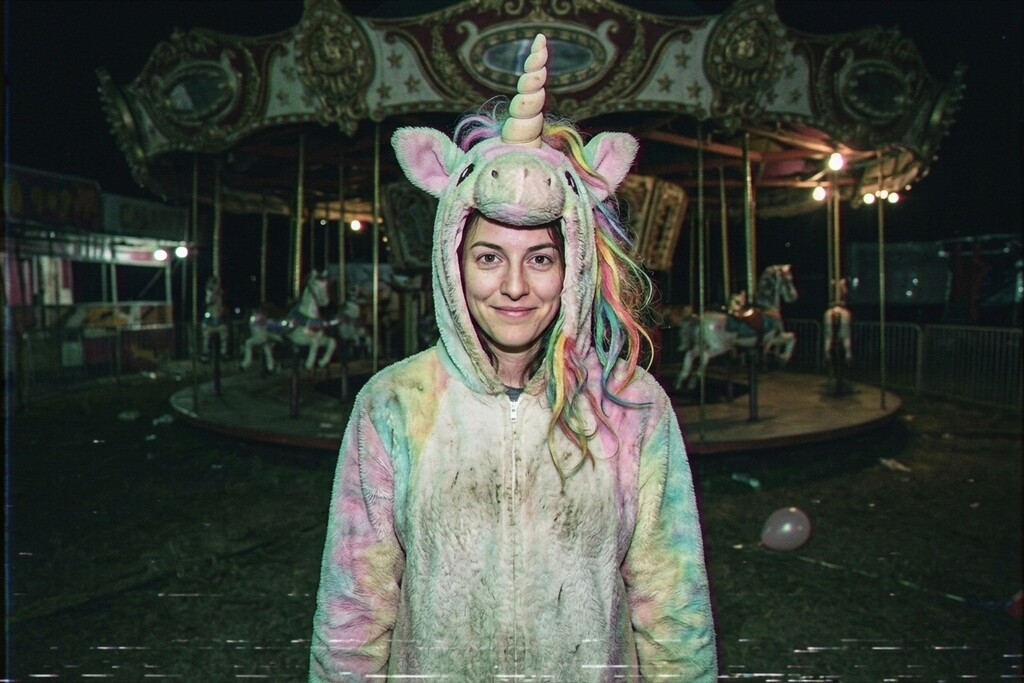
Haunted Unicorn MascotCreepy mascot costume, 90s VHS horror still Prompt recipe
Use the uploaded photo as the only face reference. Keep the person's identity exactly: same face shape, eyes, nose, lips, jawline, skin tone, age, hair texture and ethnicity. Do not beautify, slim or restyle the face. Dress this person in a worn, slightly dirty pastel unicorn mascot costume: matted plush fur, a droopy spiral horn on a hood that leaves the whole face visible, a tangled faded rainbow mane. They stand alone at a closed-down carnival at night, a dark carousel behind them, a few flickering bulbs, a deflated balloon on the ground. Frame it like a still from a 90s VHS horror tape: low-light camcorder look, washed-out greens and pinks, scan lines, slight chromatic bleed, timestamp-free. Unsettling but playful, not gory. Do not turn the person into an animal. Keep the same number of people as the uploaded photo. No extra limbs, duplicated fingers, warped hands, gore, text, logos or watermarks.
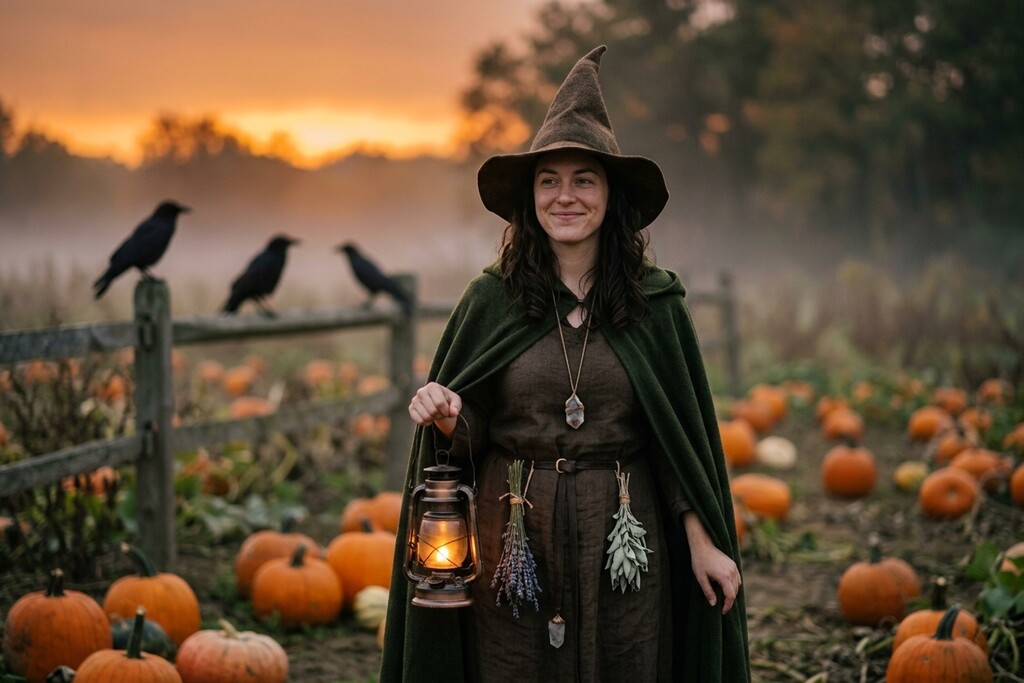
Forest WitchMoss cloak and witch hat in a misty pumpkin patch Prompt recipe
Use the uploaded photo as the only face reference. Keep the person's identity exactly: same face shape, eyes, nose, lips, jawline, skin tone, age, hair texture and ethnicity. Do not beautify, slim or restyle the face. Dress this person as a woodland witch: a moss-green hooded cloak over a dark brown dress, a tall weathered pointed hat, small herb bundles and a crystal pendant. They walk through a misty pumpkin patch at dusk holding a lit lantern, crows on a fence, last orange light low on the horizon. Shot on Kodak Portra 400 at golden hour: warm skin tones, soft haze, gentle film grain, shallow depth of field. It must look like a real photograph a friend took, not a render: natural skin texture with pores, real fabric wrinkles, imperfect framing, true-to-life color. Keep the same number of people as the uploaded photo. No extra limbs, duplicated fingers, warped hands, gore, text, logos or watermarks.
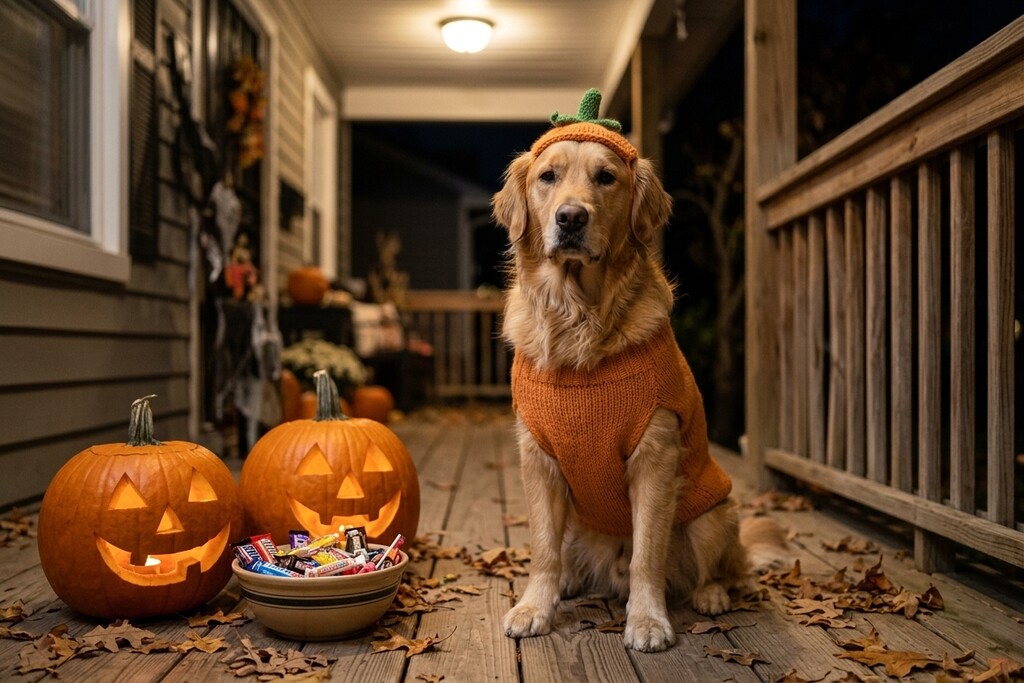
Pumpkin PetKnitted pumpkin costume on a Halloween porch Prompt recipe
Use the uploaded pet photo as the only reference for the animal. Keep its exact breed, fur color, markings, eye color and face. Dress the pet in a soft knitted pumpkin costume with a small green stem hat, fitted naturally and never covering the eyes. The pet sits on a front porch on Halloween night next to glowing jack-o-lanterns and a bowl of wrapped candy, warm porch light, dry leaves on the steps. A candid phone photo with natural fur texture and real shadows, slightly off-center, like a proud owner snapped it. Do not change the species. No extra animals, unnatural paws, duplicated limbs, text or watermarks.
Why most AI Halloween photos stop looking like you
A believable Halloween photo needs the costume applied without replacing the person you started with.
Generic prompts change your face
Typing "Halloween" into an image prompt often returns a different person. Each look here spells out what to keep and what to change.
Costumes need concrete details
Each look describes the hair, outfit, accessories, scene, and lighting in detail, so the costume reads clearly in one shot.
No stray artifacts
Every prompt bans extra people, extra limbs, text, and watermarks, so the photo is ready to post.
How to make an AI Halloween costume photo
One workbench keeps your photo, the Halloween look, the credit cost, and your private result together, so you can try a costume in under a minute.
- 1
Upload a selfie
Choose one selfie or pet photo. It uploads to your private account storage only when you create.
- 2
Pick a costume
Choose one of six Halloween looks while your photo stays visible in the workbench.
- 3
Create and download
Use credits to create, review, and download your Halloween photo from the private result area.
Where an AI Halloween costume helps
Use it when you want a Halloween photo of yourself or your pet in minutes.
Pick your costume
Preview a costume idea on yourself before you buy or build it.
Social posts and avatars
Post a Halloween look to TikTok, Instagram, or your profile without dressing up.
Pet portraits
Put your dog or cat in a pumpkin costume for a seasonal pet portrait.
What stays clear while you create
Everything you need to see before you spend a credit, without a long editor.
One photo in
Each result accepts one JPEG, PNG, or WebP selfie or pet photo up to 10 MB.
Six tested looks
Six original Halloween looks, from gothic braids to a pumpkin pet costume, each with a tested prompt recipe.
Keeps your framing
The result uses the closest available aspect ratio to your photo, ready to post.
Private by default
Your photo and result stay private to your account, and the finished image can be downloaded.
Why use this Halloween costume generator?
FluxDream keeps your photo, the costume, and your private result together, so trying Halloween looks stays quick.
One page, start to finish
Upload, costume choice, status, and result share one page.
No surprises
Formats, file limit, privacy, framing, and credit cost appear before you create.
Try every costume
Switch to another look or replace the photo without leaving the page.
AI Halloween costume FAQ
Photos, likeness, pets, privacy, and credits, answered before you create.
- What photo works best for an AI Halloween costume?
- Upload one JPEG, PNG, or WebP photo up to 10 MB. A clear, front-facing selfie with good light gives the most recognizable result.
- Will it still look like me?
- Each look's prompt tells the model to keep your facial identity, skin tone, age, and pose, and to change only the costume, hair, and background. Review the result before you share it, as with any AI edit.
- Can I put a Halloween costume on my pet?
- Yes. Pick Pumpkin Pet and upload a photo of your dog or cat. That prompt keeps the breed, fur color, and markings, and fits the costume without covering the eyes.
- Are these costumes based on real movie characters?
- Every look is an original design built on this season's most shared Halloween photo formats, such as the Y2K bedroom ghost selfie, a Victorian ghost daguerreotype, gothic braids and a creepy unicorn mascot. They are not copies of any film or game character.
- Will my photo or result be public?
- No. Your photo and the result stay private to your account unless you choose to share them.
- How many credits does one Halloween photo use?
- The workbench shows the exact credit cost before you create. If your balance is too low, it opens the credit pack options without losing your photo or chosen look.
- Is the AI Halloween costume generator free?
- New accounts get 5 free credits, enough to try one look (each look uses 3). Results made with free credits carry a watermark. After that, a one-time credit pack covers a few Halloween photos with no subscription.
- Can I see the prompt behind each look?
- Yes. Open the prompt recipe under any look to see the full prompt, and copy it into the FluxDream prompt generator or another image editing model.
Explore more
Keep going with other FluxDream image tools after your Halloween look.
Ready for your Halloween photo?
Go back to the workbench, pick a costume, and confirm the credit cost before you create.