
Photo to Anime Converter
6 authentic Japanese anime & manga styles — 1 free no-sign-up edit every 24h.
Photo to Anime Workbench
Your image
Choose a Japanese Anime or Manga Style
Theatrical Film AnimeChoose a Japanese Anime or Manga Style
Theatrical Film Anime

- 6 Japanese Anime & Manga ModesTheatrical film, 90s retro cel, modern TV anime, shonen key visual, watercolor slice-of-life, and black-and-white ink manga
- Free Trial & Preview1 no-sign-up trial every 24 hours plus 5 free starter credits on sign-in with zero banner ads
- Uncropped Framing & Clean DownloadsPreserves original aspect ratio; paid plans and one-time credit packs unlock watermark-free downloads
- Private Selfies & RefundsUploads stay private in your account (never posted publicly) with automatic credit refunds on failures
Turn portraits, cosplay shots, and street photos into crisp Japanese anime or black-and-white manga—not generic Western 3D cartoons or glossy plastic filters. Try this photo to anime converter online free with 1 no-sign-up run every 24 hours, or sign in for 5 free starter credits to preview 6 hand-tuned Japanese styles directly in an ad-free browser workbench.
Unlike a cluttered anime generator from photo site that crops your framing or forces Booru tag syntax, our anime photo converter preserves your original aspect ratio, headroom for circular avatars, hairstyle, glasses, and pose. Every 1K run shows its exact 3-credit cost before you click, personal selfies stay private by default, and failed jobs automatically refund credits.
Compare 6 Distinct Japanese Eras on One Source Photo
Every sample below starts from the exact same portrait so you can see how cleanly our presets convert photo to anime style eras—from luminous theatrical film lighting to hand-inked manga screentones—without mixing in Western 3D cartoons.
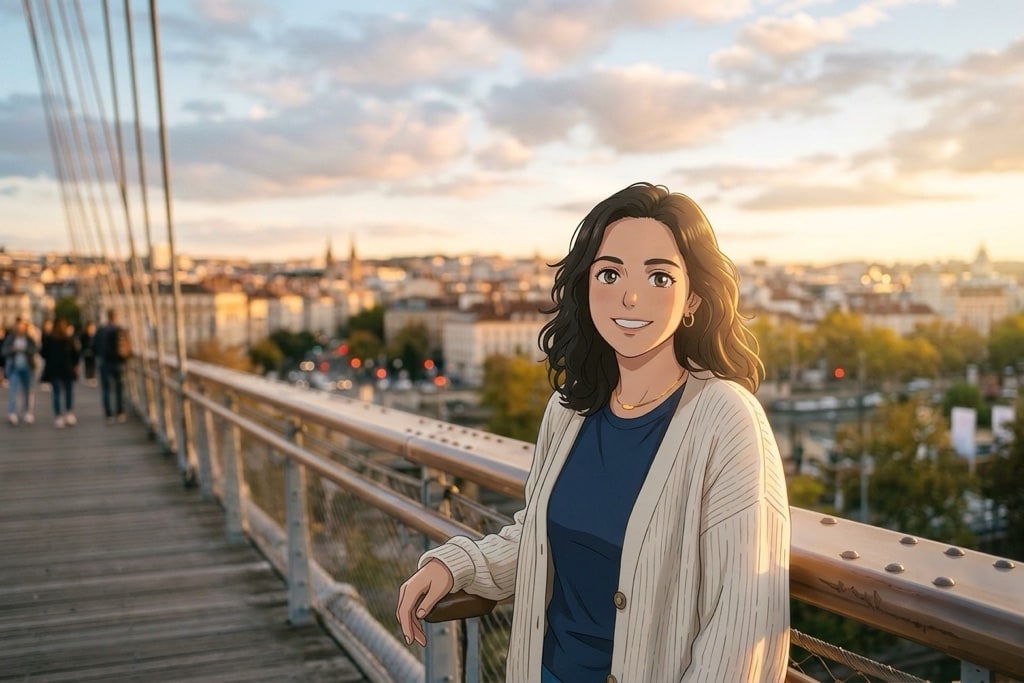
Theatrical Film AnimeCinematic sky gradients, atmospheric rim light, and detailed background foliage built to convert image to anime scenes with feature-film depth. 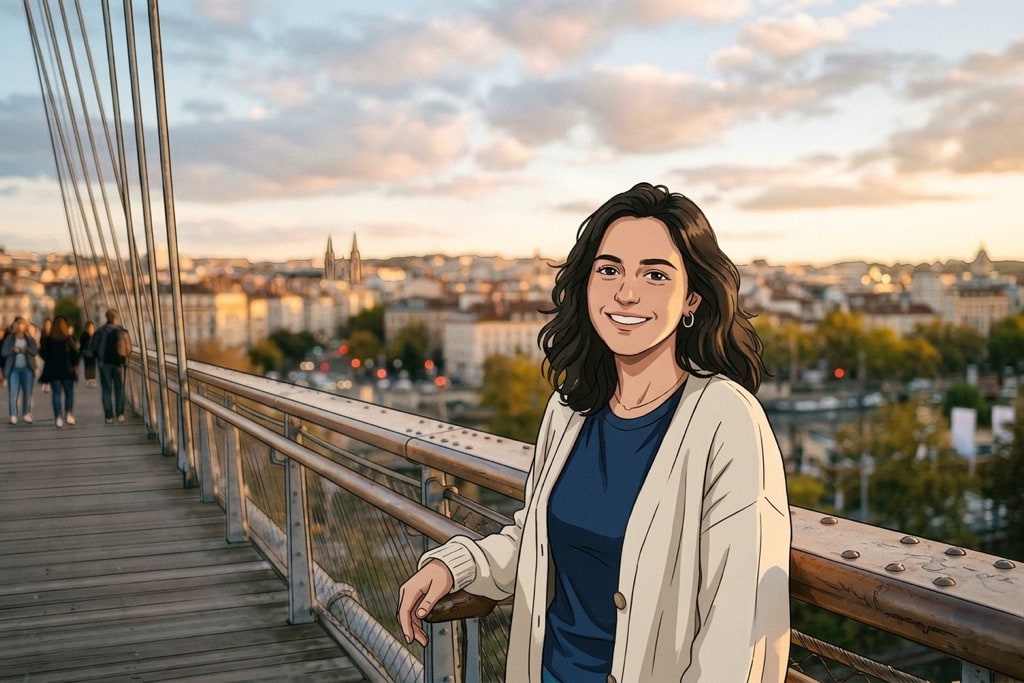
90s Retro Cel AnimeClassic hand-painted cel shading, warm analog palette, and subtle vintage grain reminiscent of golden-era OVA broadcasts. 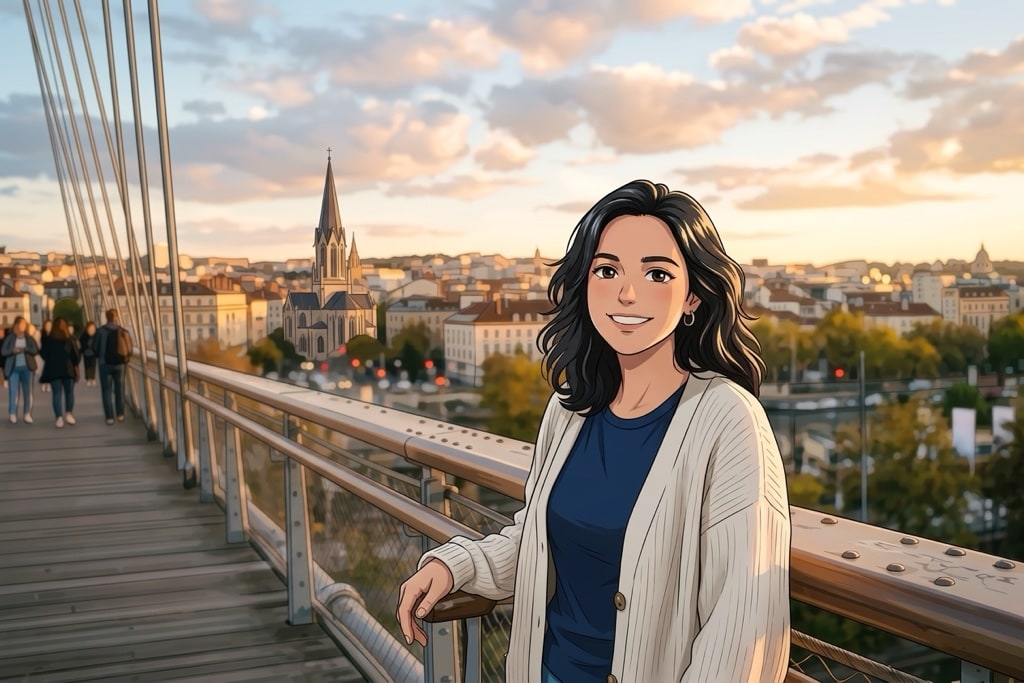
Modern TV AnimeCrisp digital linework, balanced color highlights, and clean facial proportions that turn everyday portraits into broadcast-ready stills. 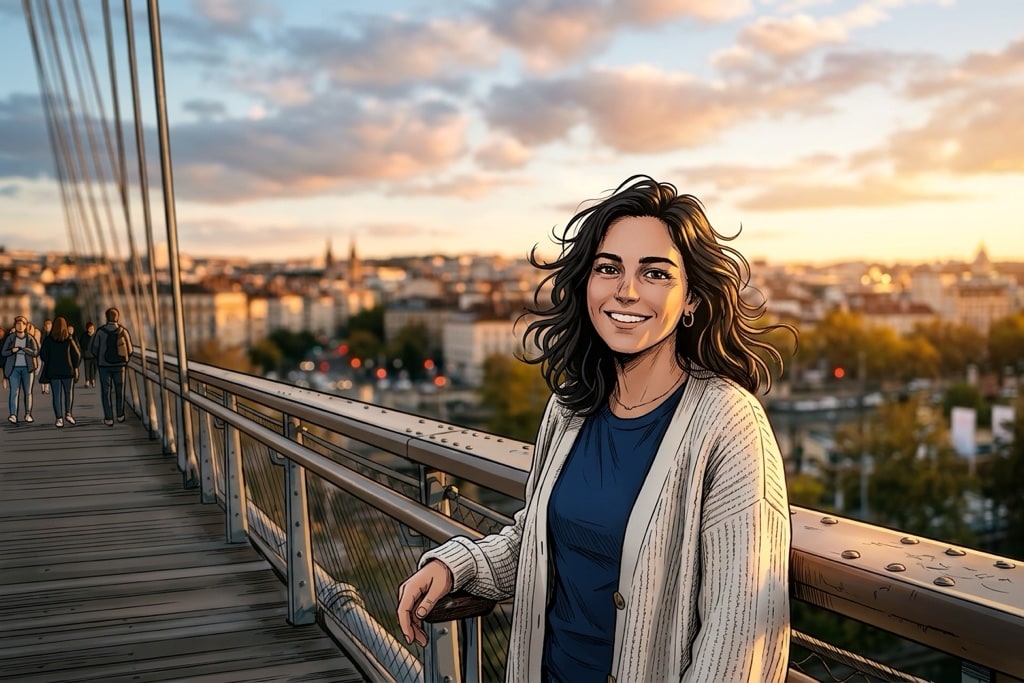
Shonen Key VisualHigh-contrast dramatic shadows, dynamic wind energy, and bold poster lighting tailored for cosplay shoots and character showcases. 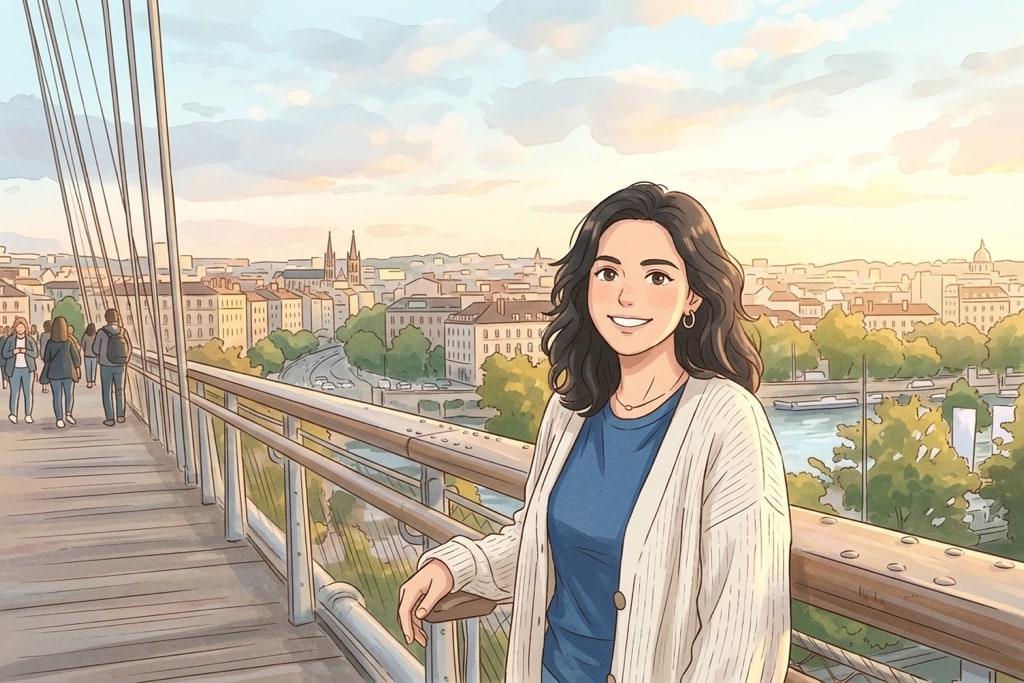
Cozy Slice-of-Life WatercolorSoft sunlit washes, gentle outlines, and pastel warmth—a relaxed way to convert photo into anime keepsakes, cafe trips, or custom gift prints. 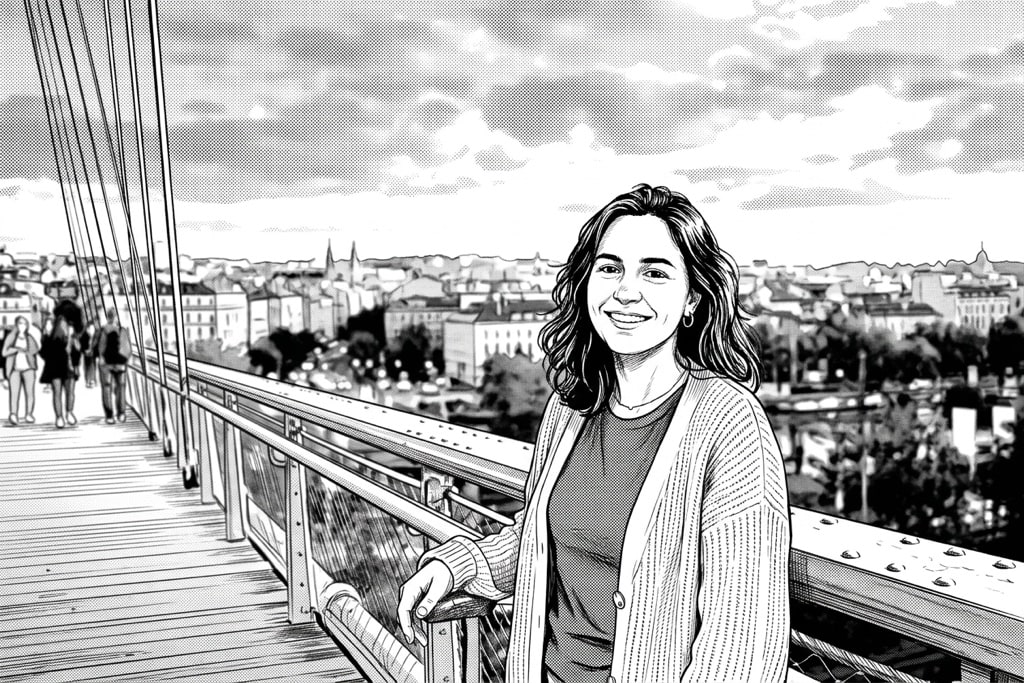
Black-and-White Manga InkCrisp G-pen contours, authentic screentone shading, and stark ink contrast built specifically for monochrome comic panels and photo to anime sketchbook art.


Why Generic Filters Produce Glossy Plastic Art, Cropped Heads, or Device Errors
Anyone hunting for the best photo to anime converter quickly hits the same frustrations across free ad-heavy filter sites, phone-exclusive apps, and complex local setups.
Authentic Japanese Linework Over Generic Plastic Filters
Most free tools mix Western 3D cartoon shaders into their image to anime converter queue, leaving shiny airbrushed skin and generic anime eyes that erase your likeness. Driven by Nano Banana 2, our 6 dedicated Japanese presets preserve your hair, glasses, and expression with crisp cel shading or manga ink linework.
No 4GB VRAM Crash or Booru Tag Prompt Engineering
Running local SDXL checkpoints stalls on everyday laptops, while chat prompts take five rewrites to shed photorealistic lighting. Here a single preset handles your photo to anime conversion in seconds right inside any browser—no GPU install or tag memorizing required.
Ad-Free Cross-Device Stability Without Mandatory $15 Subscriptions
Brand-locked phone filters stall at 10% uploads and ad-filled web converters hide pop-up paywalls. Our ad-free anime image converter works on any phone or computer with free previews, transparent 3-credit pricing, and one-time credit packs instead of forced monthly billing.
How to Turn Your Photo into Anime Online in 4 Ad-Free Steps
Skip local installs and complex tag prompts—this photo to anime converter online runs smoothly across desktop and mobile browsers.
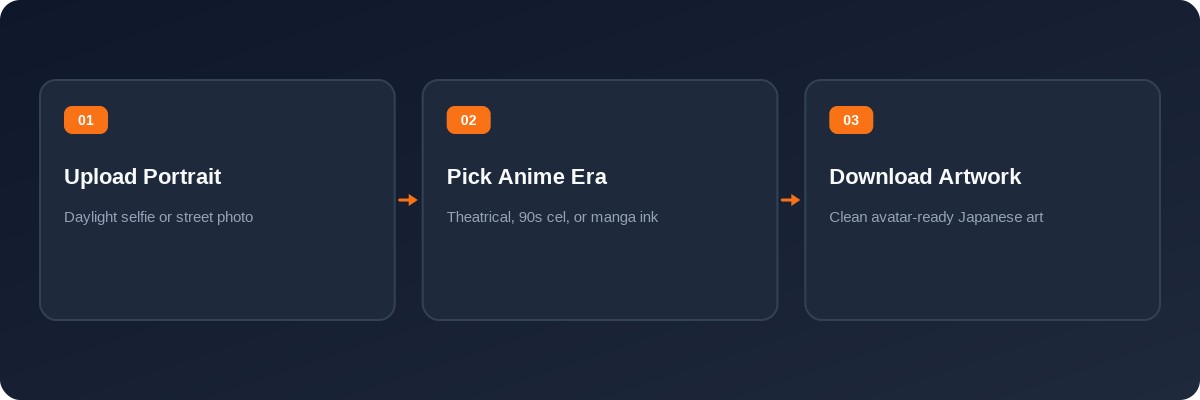
- 1
Upload From Any Device or Scan Straight From Your Phone
Drop a JPG, PNG, or WebP portrait, cosplay shot, or street scene up to 10MB. Paid users working on desktop can scan a QR code to beam selfies directly from their phone camera roll without compression apps.
- 2
Pick One of 6 Pure Japanese Anime or Manga Presets
Choose Theatrical Film, 90s Retro Cel, Modern TV, Shonen Key Visual, Slice-of-Life Watercolor, or Black-and-White Manga Ink to turn photo to anime art in one click—original framing and headroom stay untouched.
- 3
Preview Real Linework Free Before Downloading
Test 1 no-sign-up run every 24 hours or use 5 free starter credits after sign-in to turn picture to anime previews right in your browser. Every 1K run shows its exact 3-credit cost upfront.
- 4
Download Clean, Watermark-Free High-Resolution Art
Once you love the likeness and linework, unlock original-aspect downloads with zero added watermarks through any paid plan or one-time credit pack.
Built for Avatars, Visual Novel Backgrounds, Cosplay, and Manga Panels
Whether you need a quick anime pic maker for Discord or consistent painted backgrounds for an indie game, original framing stays intact so every file drops straight into your workflow.
Circular Profile Avatars With Clean Headroom
Unlike filters that chop off the top of your hair or distort glasses, our presets keep natural headroom and original framing so portraits fit cleanly inside Discord, X, and Steam circular avatar crops.
Indie Visual Novel & Street-Scene Backgrounds
Turn your own real-world cafe, train station, or campus photos into cohesive Theatrical Film or Slice-of-Life Watercolor backgrounds—matching exact camera perspective across a full visual novel chapter.
Monochrome Comic Panels via Black-and-White Manga Filter
Use our dedicated manga filter preset—an ai manga filter built with clean G-pen linework and authentic screentones—to turn everyday snapshots into crisp black-and-white comic panels or zine inserts.
Cosplay Posters, Custom Stickers & Prompted Upgrades
Give cosplay shoots dramatic Shonen Key Visual lighting or print gift stickers from family photos; whenever you want to add falling cherry blossoms or cyberpunk neon to a photo to anime edit, carry your credits straight into our Image to Image studio.
Ad-Free Speed, Authentic Likeness, and Honest One-Time Credits
Designed for anime fans and indie creators who want reliable picture to anime ai results without cluttered pop-up ads, device restrictions, or forced subscriptions.
Pure Japanese Aesthetics That Keep Your Real Identity
Every preset is tuned specifically for Japanese anime and manga eras—protecting hair color, glasses, facial proportions, and posture instead of stamping the same glossy template over every face.
Try Free First, Then Pay Only When You Want Clean Exports
Test photo to anime free once every 24 hours without signing up, or use 5 free starter credits after sign-in to turn photo into anime free in-browser. If you only need a few avatars or gift prints, choose a one-time credit pack instead of a $15/month subscription.
Uncropped Ratios Plus Seamless Custom Editing
Your photo to anime output matches your source aspect ratio automatically. Need extra scene elements like sakura petals or rainy night reflections? Continue in our Image to Image editor with the exact same balance.
Zero Ads, Private Selfies, and Automatic Failed-Job Refunds
Run cleanly on any phone or desktop without banner overlays. Personal selfies stay private in your account by default—never published to a public feed—and failed runs automatically refund your credits.
Frequently Asked Questions About Our Photo to Anime Converter
Clear answers on free previews, Japanese anime vs. Western cartoon styles, visual novel backgrounds, custom prompts, and selfie privacy.
- Can I test this photo to anime converter online free before paying?
- Yes. Visitors can run 1 no-sign-up trial every 24 hours, and new accounts receive 5 free starter credits (valid for 7 days) to preview real output in-browser with zero ads. Each 1K run displays its exact 3-credit cost upfront, and any paid plan or one-time credit pack unlocks watermark-free original-aspect downloads.
- How is this different from your Photo to Cartoon tool?
- Our Photo to Cartoon page focuses on Western 3D animation, clay, comic-book, and caricature styles. This dedicated anime generator from photo workbench stays 100% focused on 6 authentic Japanese anime eras and black-and-white manga ink so you never sift through mismatched cartoon filters.
- Does this work for street scenes and visual novel backgrounds, not just selfies?
- Yes. Because each preset preserves original aspect ratio and architectural perspective, indie creators use it as the best photo to anime converter for transforming real cafes, classrooms, and city streets into consistent visual novel backgrounds or manga panels.
- Can I add custom elements like cherry blossoms or neon lights during a photo to anime edit?
- One-click presets faithfully restyle what is already in your photo. Whenever you want to add new elements—such as falling sakura, cyberpunk rain, or outfit changes—open our Image to Image workbench with the same credit balance and type plain instructions.
- Are my personal selfies private, and what formats are supported?
- Every uploaded selfie and converted artwork stays private in your account by default—never published to a community gallery. Upload JPG, PNG, or WebP files up to 10MB from any browser (or via phone QR upload on paid plans), with automatic credit refunds if any job fails.
Keep Creating With Shared Credits Across Related Style Tools
Want custom prompt additions beyond a one-click anime photo converter? Jump to any studio tool below using the same private credit balance.
Ready to Try Our Image to Anime Converter Above?
Upload your portrait or street photo, pick 1 of 6 pure Japanese styles, and preview crisp photo to anime linework in seconds—zero ads, zero GPU setup.