
Remove People from Photo Online
Erase tourists, photobombers, and shadows in one click — 1 free edit every 24h.
Remove People from Photo Workbench
Your image
Choose a Crowd Cleanup Mode
Background Tourists & CrowdsChoose a Crowd Cleanup Mode
Background Tourists & Crowds

- 6 Targeted Crowd ModesClear background tourists, edge photobombers, beach walkers, keep foreground subject only, empty the full frame, or remove people and ground shadows together
- Free Trial & Preview1 no-sign-up trial per 24 hours plus 5 free starter credits on sign-in to inspect results in-browser
- Zero Added WatermarksPaid plans and one-time credit packs unlock original-aspect downloads without forced corner badges or cropping
- Private Storage & RefundsPrivate by default (never shared publicly) with automatic credit refunds on failed jobs
Need to remove person from photo travel shots, crowded squares, or family milestones without tracing 30 tourists one by one? Choose from 6 one-click cleanup modes in our browser workbench to remove person from photo online free with 1 no-sign-up trial every 24 hours, or sign in for 5 free starter credits to preview real crowd and shadow removal before unlocking a clean original-aspect download.
This ai remove person from photo workbench runs in any desktop or mobile browser—no brand-locked phone required—keeping foreground faces and outfits intact while clearing crowds and ground shadows. Every 1K run displays its exact 3-credit cost upfront, files stay private in your account, and failed runs automatically refund credits.
See 6 Presets Remove People from Photo Crowds on One Real Plaza Shot
Every before-and-after below starts from the same sunlit European plaza packed with dozens of background tourists—showing how Nano Banana 2 keeps foreground faces and jackets untouched while rebuilding stone arches and pavement when you remove people from background scenes.

Background Tourists & CrowdsClears dense landmark crowds behind your main subject while restoring cobblestone lines, columns, and plaza depth cleanly. 
Edge PhotobombersWipes half-cropped passersby walking into the left or right frame border without narrowing your original composition. 
Beach & Park WalkersBuilt to remove person from background shorelines, boardwalks, and trails while keeping ocean ripples and grass grain natural. 
Keep Foreground Subject OnlyIsolates your primary person or couple and sweeps away every surrounding passerby for clean portraits and milestone prints. 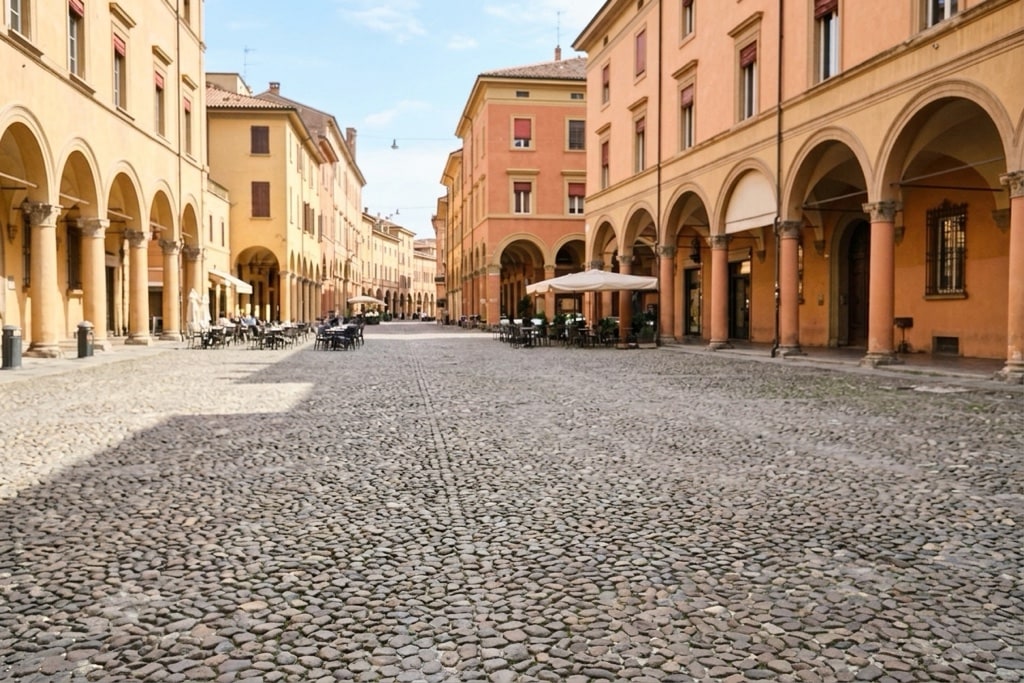
Empty Architectural FrameRemoves every figure across the frame to deliver an uncluttered landmark or real-estate exterior view—an instant way to remove person from image streetscapes. 
People & Ground Shadows TogetherTargets both unwanted figures and the long shadows they cast across paving stones so nothing looks pasted over when you remove people from photo memories.


Why Crowd Cleanup Fails With Manual Brushes, Phone Watermarks, or Public Forums
Anyone looking to remove person from photo online files runs into three frustrating trade-offs when fixing busy travel or family shots.
Stop Tracing 30+ Tourists and Leftover Shadows by Hand
A basic brush-only people remover forces you to zoom in and outline every stranger—often leaving dark ground shadows behind. Our 6 one-click presets let you remove people from photo crowds and their cast shadows in a single pass while locking foreground portraits.
Skip Device-Locked Watermarks, Forced Cropping, and $15 Manual Retouching
Built-in phone editors stamp mandatory corner watermarks that force you to crop your print, while iOS apps lock you into steep subscriptions and forum retouching averages $15 per image. This ai person remover runs in any browser with 1 no-sign-up trial every 24 hours, 5 free starter credits, and affordable one-time credit packs for clean uncropped downloads.
Keep Sensitive Family and Personal Photos Off Public Request Boards
Posting wedding, memorial, or personal portraits to public forums exposes private faces forever. Our private person remover keeps every upload locked inside your account—never published to a public gallery.
How to Remove People from a Photo Online in 4 Clear Steps
If you looked up how to remove person from photo using ai online free or how to erase people from pictures without installing a desktop suite, run these four steps in any browser.
- 1
Upload From Desktop or Scan Straight From Your Phone
Add any JPG, PNG, or WebP photo up to 10MB. Paid users working on desktop can also scan a QR code to send original vacation shots directly from their phone camera roll.
- 2
Choose the Matching Cleanup Preset
Select Background Tourists, Edge Photobombers, Beach & Park Walkers, Keep Foreground Subject Only, Empty Frame, or People & Ground Shadows—no manual mask painting required to remove people from photo backgrounds.
- 3
Preview Real Reconstruction Free First
Run 1 no-sign-up trial every 24 hours or use 5 free starter credits after sign-in to check stone tiles, horizon lines, and subject edges in-browser. Every 1K run shows its exact 3-credit cost before you click.
- 4
Download Clean, Uncropped Originals
Once satisfied, download an original-aspect image with zero added watermarks on any paid plan or one-time credit pack while keeping uploads private in your account.

Private Cleanup for Vacation Landmarks, Weddings, and Personal Portraits
From crowded tourist sights to deeply personal family frames, choose the preset that fits your scene while keeping every image strictly private.
Crowded Travel Landmarks & European Plazas
Quickly remove background people and tour groups from iconic squares, viewpoints, and beaches—rebuilding cobblestones, arches, and waterlines without tripod multi-shot stacking.
Weddings, Graduations & Family Group Prints
Use Edge Photobombers or Keep Foreground Subject Only to remove people from picture margins and stray guests standing behind the couple, delivering frame-ready prints with zero corner watermarks.
Memorials, Tributes & Sensitive Personal Moments
When you need to ai remove someone from photo keepsakes—such as isolating a loved one for a memorial portrait or cleaning up a personal photo—all uploads stay private inside your account rather than appearing on public request forums.
Architecture, Real Estate & Street Exteriors
Clear sidewalks and remove people from bg street views in one pass to produce clean exterior photos for listings, portfolios, and travel guides, letting you remove people from photo shots cleanly on any device.
Cross-Device Speed, Transparent One-Time Packs, and Uncropped Privacy
Built for travelers and families who want to remove people from photo albums cleanly—without phone brand lock-in, forced subscriptions, or corner watermarks.
Try Free First, Then Unlock Clean Downloads Without Monthly Plans
Test a people remover from photo free once every 24 hours without an account, or claim 5 free starter credits after sign-in to preview how well we remove people from photos free in-browser. When you only have a few vacation prints to fix, pick a one-time credit pack instead of a recurring subscription—avoiding cancellation headaches and $15-per-photo manual fees.
One-Click Presets Including Ground Shadow Removal
Skip tedious manual tracing across crowded plazas. Six dedicated modes let you remove people from photo frames and erase leftover shadows in one pass while keeping foreground subjects locked.
Any Browser, Zero Added Watermarks, Zero Forced Cropping
Unlike device-locked tools that stamp a corner badge and force you to crop your photo, paid plans and credit packs deliver original-aspect downloads cleanly across iPhone, Android, Mac, and Windows.
Private Account Storage and Automatic Refunds
Every photo you upload to test remove person from photo free previews stays private in your account by default—never posted publicly—and failed runs automatically refund your credits.
Frequently Asked Questions About How to Remove People from Photo Shots
Clear answers on free previews, clean downloads, dense crowds, tight group shots, and photo privacy.
- Can I remove person from photo online free before buying credits?
- Yes. Visitors get 1 no-sign-up trial every 24 hours, and new accounts receive 5 free starter credits (valid for 7 days) to preview real edits directly in the browser. Each 1K run displays its exact 3-credit cost upfront, and any paid plan or one-time credit pack unlocks original-aspect downloads with zero FluxDream watermarks.
- Does this remove people from photo crowds without erasing my background?
- Yes. Unlike a transparent background cutout tool that deletes the whole backdrop, this workbench is built to delete people from photo scenes while keeping and rebuilding natural stone plazas, beaches, trees, and architecture behind them.
- How do I clear dense tourist crowds and their shadows cleanly?
- Select Background Tourists & Crowds for packed landmarks, or choose People & Ground Shadows Together when strong sunlight leaves dark silhouettes across paving stones after people disappear.
- What if I want to remove person from photo group shots where people stand shoulder to shoulder?
- For surgical control—such as removing only the person on the far right wearing a green jacket while keeping everyone beside them—switch to our Image to Image editor with the same credit balance and describe exactly who to remove.
- Are personal, wedding, or memorial photos kept private when I remove people from photo uploads?
- Yes. Every uploaded photo and cleaned output stays private in your account by default, never shared in a public feed. Please only edit photos you own or have permission to retouch, and any failed job automatically refunds your credits.
Continue Retouching With Shared Credits Across Related Tools
Need selective group edits beyond a one-click person remover? Open any workflow below with the same private balance.
Ready to Remove People from Photo Memories Privately?
Upload your shot, pick one of 6 presets, and test our ai remove person from photo workbench in seconds—zero manual brushing, zero forced cropping.